 posy
posyLook 3 of 6
Washi: a woodblock print with your name on it.
- Pro on posy.page
- Free when self-hosted
- Kinari
- Sakura
- Yomogi
- Sumi
A real Japanese woodblock print, with your name on its title slip and a red seal carrying your initials. Quiet, graphic and unlike any other link page.
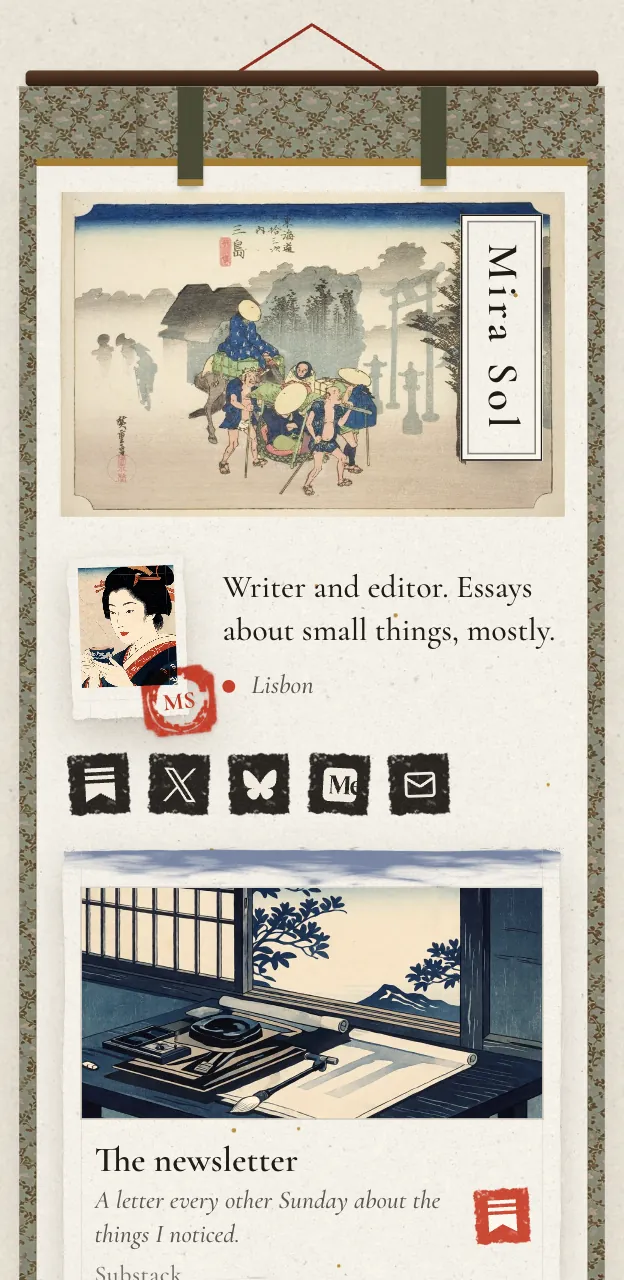
Paper, ink and one red seal
Washi is built on restraint. Rice paper, ink-black type, a title slip for your name and a red seal that carries your initials. There is nothing to decorate because the page is already finished.
Palettes are named for Japanese colours: Kinari, Sakura, Yomogi and Sumi.
Who it suits
Writers and editors
It reads like a printed page, so long titles and short descriptions look right.
Designers and illustrators
A look with a strong point of view, and room for a few pictures.
People who like less
If other looks feel busy, this one is the opposite.
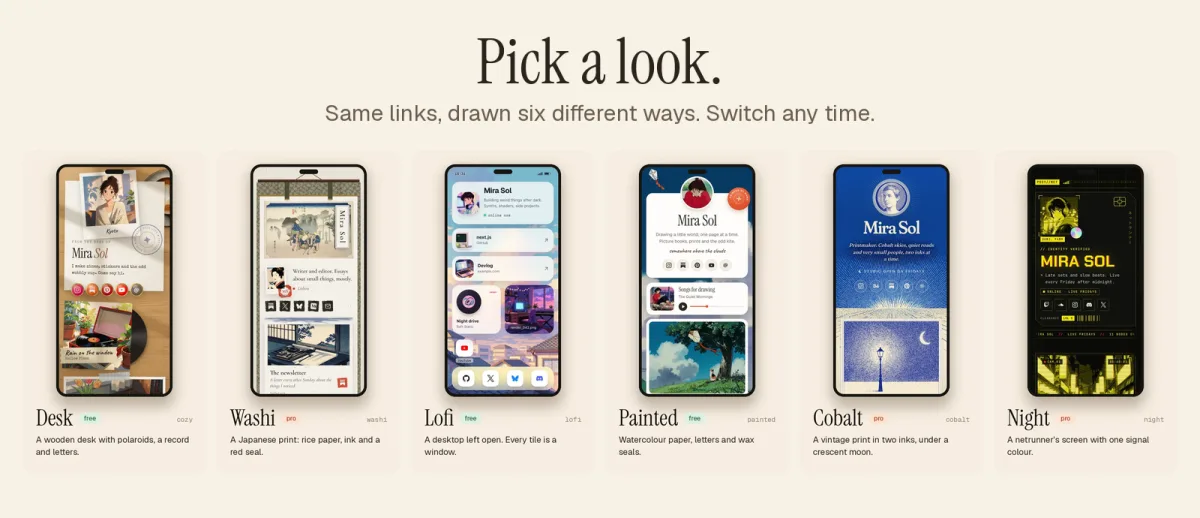
Washi or something else?
Choose Washi
You want graphic and quietFew elements, strong shapes.
Try Painted
You want it freeThe gentlest free look. See Painted.
Try Cobalt
You want print, but in blueA vintage print in two inks. See Cobalt.
Tips for a Washi page
Keep it short
Washi looks best with a handful of tiles. The empty paper is part of the design, so leave some of it showing.
Use headings to make sections
A heading tile starts a new group. "Writing", "Listening" and "Elsewhere" give the print a clear structure.
Write your name as you want it printed
It sits on the title slip, so use the form you want to be known by, and keep it short.
Choose the palette by mood
Kinari, Sakura, Yomogi and Sumi are named for Japanese colours. Look at each, then choose the one that suits the work.
Make a Washi page
Start on the free plan
Make your page in Painted or Desk first, so your links are all in place.
Upgrade to Pro
Washi comes with Pro. Pick monthly or yearly in the plan page.
Switch the look
Choose Washi in the editor. Your tiles are redrawn as a print.
Trim and publish
Cut anything that crowds the paper, then publish.
Questions
Is Washi free?
Washi is part of Pro on posy.page, which is $5 a month or $48 a year. Self-hosted, it is free like every look.
What are the palettes?
Kinari, Sakura, Yomogi and Sumi, plus any accent colour you set.
What is the red seal?
A small seal on the page that shows your initials, like a signature on a print.