 posy
posyAI link in bio
Ask your AI for a link in bio. It builds the real page.
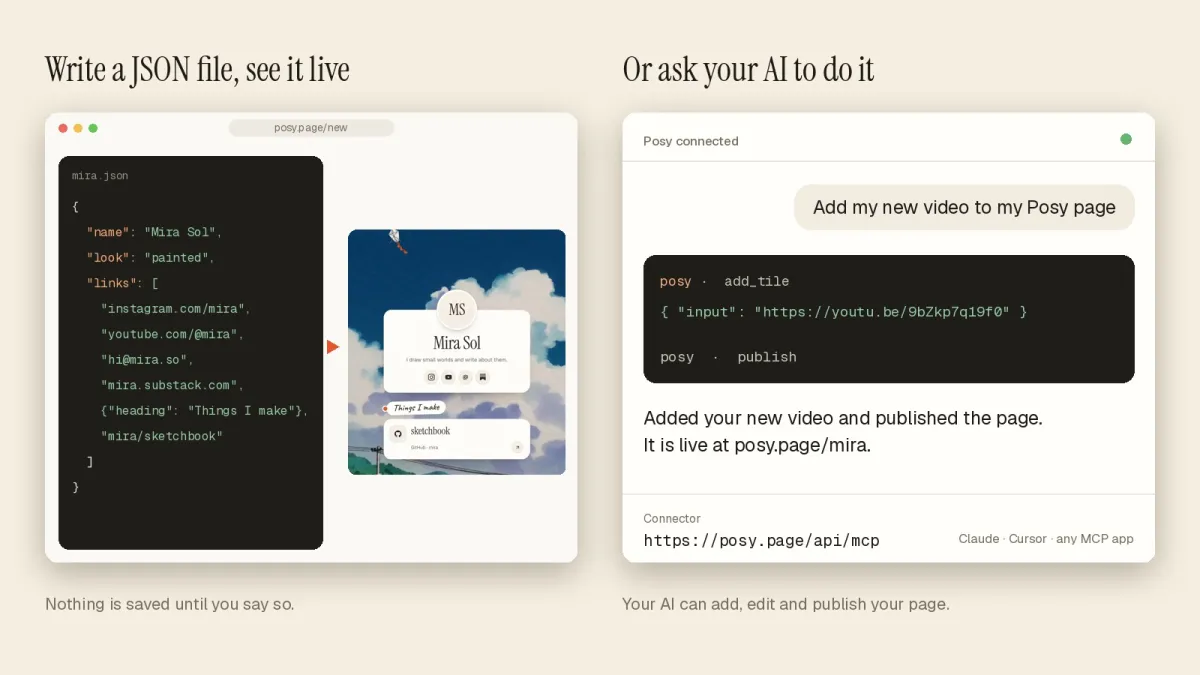
Posy has a hosted MCP server. Connect an AI app once, and "add my new video and switch to the dark look" is something you can just say.
Free forever · Open source · No card needed
What this is, and is not
This is not an AI that invents a generic page. Your AI app connects to your real Posy account over MCP, the open protocol AI apps use to talk to tools, and edits the page you already have, tile by tile.
Everything it does lands in your draft. Nothing goes live until you publish, or ask it to. Edits are version-checked, so you and your AI can work at the same time without overwriting each other.
Connect it once
Add the server
In Claude, add a custom connector with the URL below. In ChatGPT, turn on developer mode and create an app with the same URL. Cursor and VS Code have one-click installs.
Sign in to Posy
You sign in with your Posy account, so there is no key to copy.
Ask for what you want
Say it in plain words. The editor updates while it works.
Review and publish
Look at the draft. When it is right, ask your AI to publish, or press publish yourself.
The server address
Cursor, Claude Code and other tools that use an MCP config file
{
  "mcpServers": {
    "posy": { "url": "https://posy.page/api/mcp" }
  }
}
The full guide, with commands for Claude Code, VS Code and Codex, is in the docs. Scripts that cannot open a browser can use an API key instead.
What your AI can do
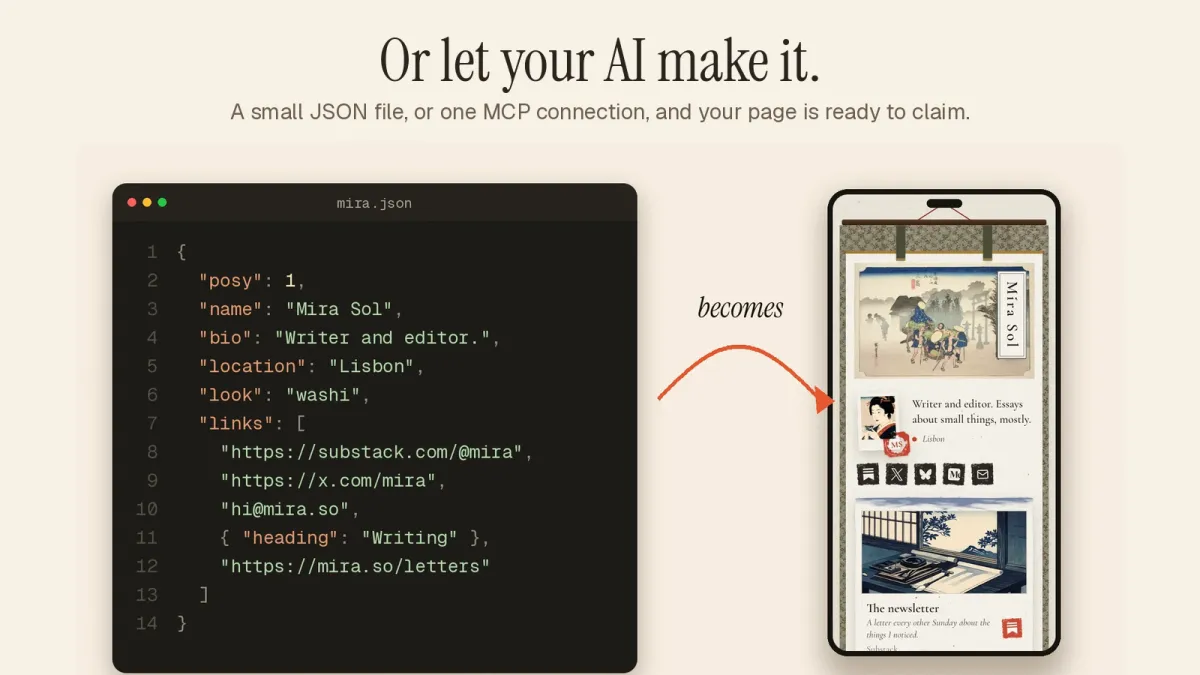
Make the page
Create a page, add links in bulk and let Posy pick the right tile for each.
Change the look
Switch look, palette, font, layout and photo style.
Keep it current
Add a new video, update a note, reorder tiles or remove old ones.
Read the options
It can list allowed looks, palettes, fonts and tile sizes, so it does not guess.
Prompts that work
Starting out
"Make me a link in bio for a ceramics studio. Use the Desk look and add my Instagram, Etsy shop and email."
Weekly upkeep
"Add this YouTube video as a large tile at the top and update my note to say I am open for commissions."
A makeover
"Switch to Cobalt in the moonlit palette and print the photos in mono."
Questions
What is MCP?
The Model Context Protocol, an open standard that lets AI apps use tools. Posy runs an MCP server, so an AI app can read and edit your page.
Can the AI publish without asking?
It can only publish if you ask it to. By default it works in your draft.
Which AI apps work?
Claude, ChatGPT, Cursor, VS Code, Claude Code and Codex all connect. Anything that supports MCP over HTTP should.
Is it free?
Yes. AI editing is part of the free plan. Your AI app has its own plans.