 posy
posyLook 1 of 6
Painted: your links on watercolour paper.
- Free on posy.page
- Free when self-hosted
- Morning
- Golden hour
- Dusk sky
- Starry
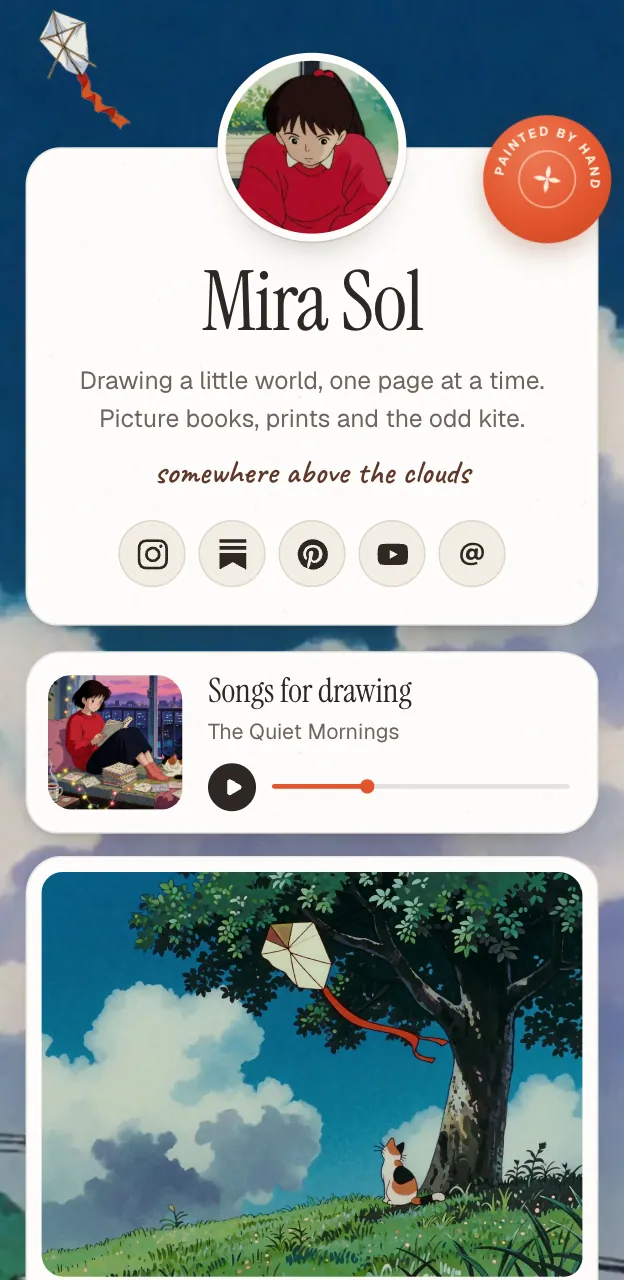
Cream paper cards sit under a painted sky that drifts slowly behind them. It is the calmest of the six looks, and it is free.
What it feels like
Painted is what a quiet afternoon looks like. Your links become paper cards, letters and wax seals on watercolour paper, and behind them a painted sky moves slowly, so the page feels alive without ever being busy.
There are four palettes, which change the sky and the paper from morning light to a starry night, and you can switch between them at any time.
Who it suits
Artists and illustrators
Watercolour paper is kind to drawings and paintings, and the page feels like part of the work.
Anyone who wants calm
If you want a link page that does not shout, this is it.
People starting out
It is free, so you can put your page live without paying anything.
Painted or something else?
Tips for a Painted page
Let the sky do the decorating
The painted backdrop is already the decoration. Keep your tiles few and clear, and the page will feel calm instead of crowded.
Choose the palette by time of day
Morning, Golden hour, Dusk sky and Starry change the light in the sky behind the page. Try all four before you decide.
Use one or two strong images
Pictures sit on paper cards, so a pair of good ones does more than a wall of average ones. Add a caption to say what they are.
Pair it with a serif
An editorial or classic font pair suits paper and watercolour. A bold, techy pair fights with the look.
Make a Painted page
Claim your name
Pick the posy.page address you want. It is the link you will share everywhere.
Choose Painted
Select it when you set up, or switch to it later in the editor. Your links carry across if you change your mind.
Pick a palette
Start with Morning or Golden hour and look at the page on your phone.
Add your links and publish
Paste each link. Posy chooses the tile. Publish when it looks right.
Questions
Is the Painted look free?
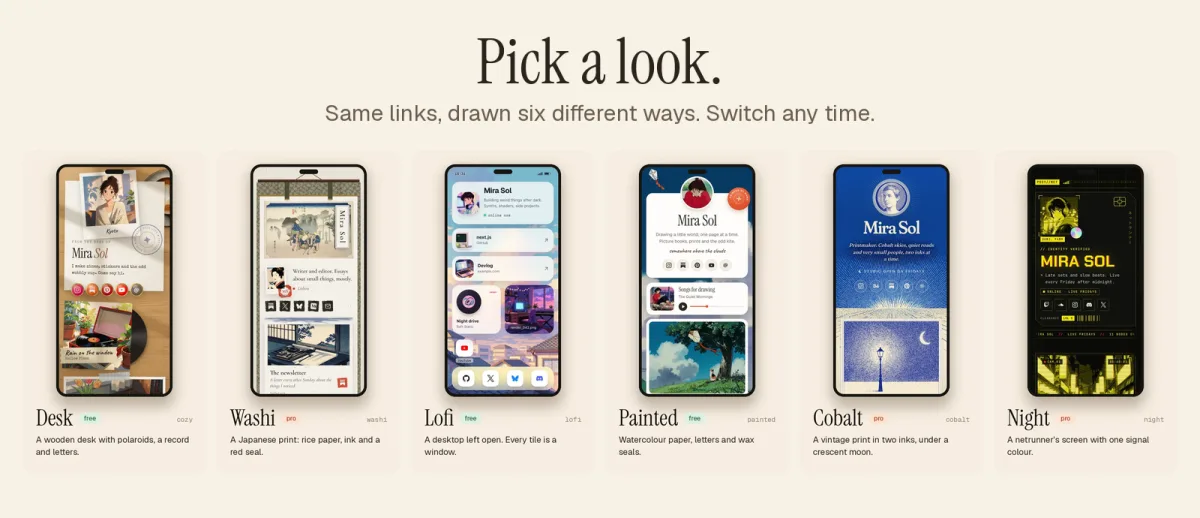
Yes. Painted, Desk and Lofi are free on posy.page. Washi, Cobalt and Night come with Pro. Self-hosted, every look is unlocked.
Does the sky move?
It drifts slowly behind your page. The cards in front stay where you put them.
Can I change the colours?
Yes. Pick one of four palettes, set any accent colour you like and choose a font pair.