posy
posy

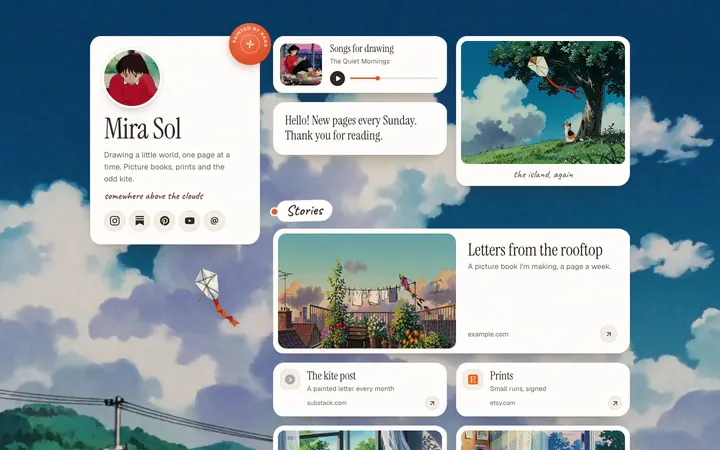
Yes, Claude can make a website. Ask in a chat and it builds a working page as an artifact you can see and click right away. The catch is sharing: as of October 2026, a newly shared artifact only opens for people signed in to Claude, so you still need somewhere to host the page for everyone else.
This guide covers what Claude does well, where it stops on each plan, and the shortest way to get a live personal page or link in bio out of it. I make Posy, one of the routes below, so I will also say when it is the wrong pick. Claude's details come from its help center on sharing artifacts and custom connectors, read on 17 October 2026.
#What Claude does well
Claude is good at the whole first draft of a small site:
- The code. HTML, CSS and a little JavaScript, in one file that runs.
- A live preview. The artifact panel shows the page next to the chat, so you can click around and ask for changes.
- The words. An about section, short link descriptions, a headline that does not sound like a template.
- Changes in plain English. "Make the header smaller and move the contact link up" works.
Artifacts are on every plan, including Free. For a prototype, a class project or a page you only need to show yourself, that is enough.
#Where it stops
The limits are about getting the page to other people, not about the quality of the code.
- Sharing needs a Claude account. Claude's help center says people without an account "can't open a shared artifact, even with the link." The exception is a legacy artifact, made in a chat before 16 September 2026, which could be published to a public link. New ones cannot.
- It is not your address. Even a shared artifact lives on claude.ai. You cannot put your own domain on it.
- Updates live in the chat. Next month, you go back to the conversation, ask for the change and share again.
- It guesses at your links. Unless you paste your real profile URLs, Claude will write plausible ones that do not exist.
So for a page you put in your Instagram bio, you need the code to leave Claude, or you need Claude to edit something that is already hosted.
#Five ways to get a real website out of Claude
| Route (October 2026) | Plan it needs | Who can see the result | Good for |
|---|---|---|---|
| Artifact, shared from the chat | Any, including Free | People signed in to Claude | Showing a draft to a friend who uses Claude |
| Download the code and host it | Any | Everyone, at your address | A custom site you want to own line by line |
| Claude Code builds and deploys a project | Pro ($20 a month, or $17 a month billed yearly) or Max | Everyone, once you deploy | Developers with a repo and a host |
Claude writes a Posy /new link |
Any, or no Claude at all | Everyone, after you keep the page | A personal page live in two minutes |
| Claude edits Posy over MCP | Any; Free allows one custom connector | Everyone | A page Claude keeps current |
The download route is the classic one. Ask Claude for a single index.html, copy it out, and put it on GitHub Pages, Netlify or your own server. It works, and you own every line. The cost is that every later change means the same copy, paste and upload again.
Claude Code is the developer version of that. It works in a folder on your computer, can set up a framework, run it and push it, and your host does the rest. If you already live in a terminal, it is a very good way to build a site.
#The shortcut: ask Claude for a link, not a file
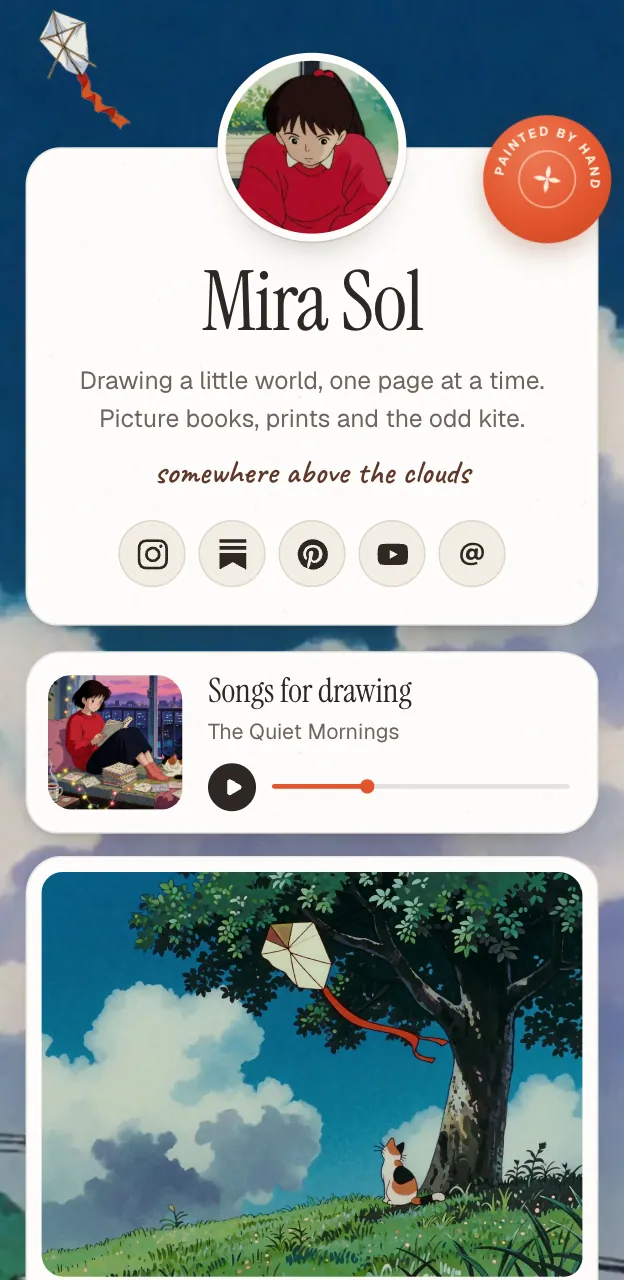
For a personal page, there is a quicker path. Posy accepts a whole page as a web address. Claude can write it because it is just text, and opening it shows a live preview with no login.
https://posy.page/new?name=Mira%20Sol&bio=Illustrator&links=https://instagram.com/mira,https://github.com/mira,hi@mira.so&look=cozy
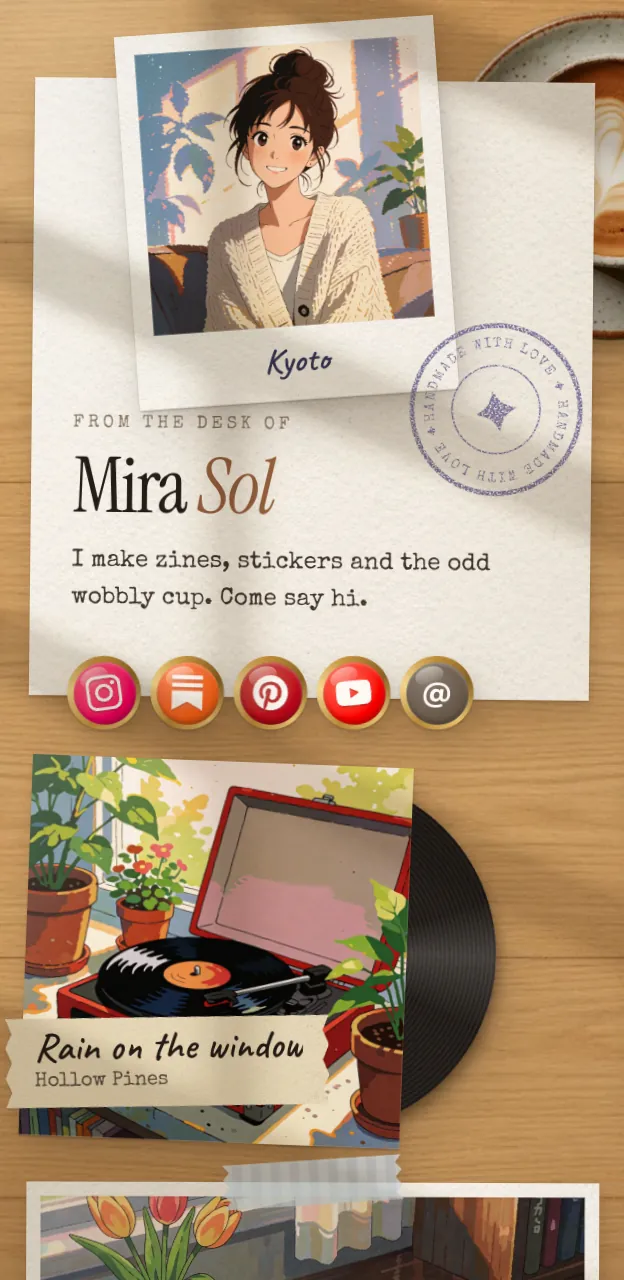
The fields are name, bio and links (URLs, emails or owner/repo, separated by commas), plus options like look, theme, layout and font. The looks are painted, cozy (Desk), lofi, washi, cobalt and night. Posy picks the right tile for each link: a YouTube video becomes a video tile, a Spotify album becomes a music card with its cover, and a GitHub repo shows its live star count.
Here is a prompt to copy:
Make me a Posy page link. Use https://posy.page/new with the query fields name, bio, links (comma-separated) and look. My name is [Asha Rao], bio "[Ceramics in Pune]", links: [instagram.com/asharao, etsy.com/shop/asharao, asha@example.com]. Use look=cozy. URL-encode it and give me only the link.
Tap the link, check the preview, and press the button to keep it. That is the only step that needs an account, and it is free. Then put posy.page/yourname in your bio.
#Let Claude edit the page, not just draft it
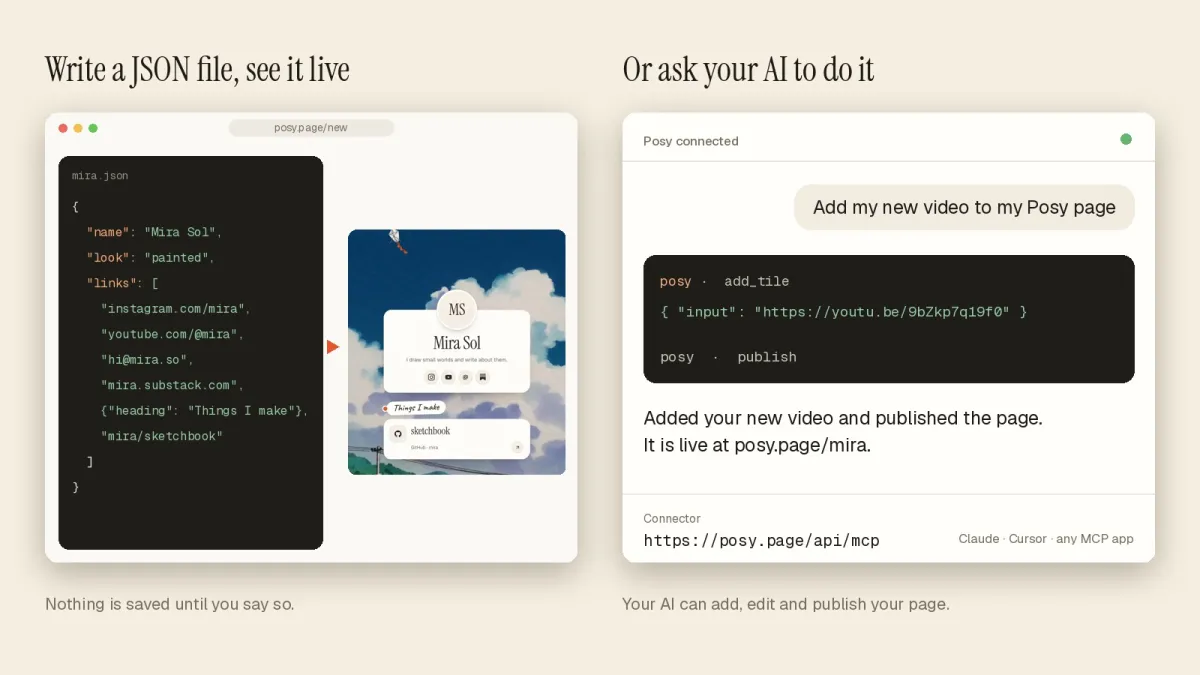
The link is a one-time thing. For a page that changes every week, connect Claude to Posy over MCP, the Model Context Protocol. Then Claude edits your real page: add a tile, move a link up, switch the look, publish.
In Claude, open Customize, then Connectors, add a custom connector, name it Posy and paste https://posy.page/api/mcp. Sign in to Posy when asked. Claude's help center says custom connectors work on Free, Pro, Max, Team and Enterprise plans, and that Free accounts can add one. In Claude Code, run claude mcp add --transport http posy https://posy.page/api/mcp.
Everything Claude changes lands in your draft. Nothing goes live until you publish or ask it to. A good first prompt:
Using Posy, read my page, then add this video [YouTube link] as a large tile at the top and change my note to say commissions open on [1 November]. Do not publish yet.
The full set of prompts and the 11 tools Claude can call are in let your AI build your link in bio. If you want the same thing in ChatGPT, see can ChatGPT make a website.
#Which route should you pick?
- You want to learn or prototype. Stay in the artifact.
- You want full control and do not mind hosting. Download the file, or use Claude Code.
- You want a page in your bio today. Ask Claude for a
/newlink. - You want the page to stay current without opening an editor. Connect Claude over MCP.
#Where Posy is not the right pick
- You need a multi-page site. Posy makes one page of tiles: a link in bio or a small personal home page. For several pages, a blog or forms, host Claude's code or use a site builder. AI personal website builders compares the main ones.
- You sell from the page. Posy has no checkout and takes no payments. Link out to your shop.
- You want to write the HTML yourself. A Posy page is drawn by the look you pick. If the point is your own markup, keep Claude's file.
#FAQ
#Can Claude make a website for free?
Yes. Artifacts are on the Free plan, so Claude can write and preview a page at no cost. Hosting it for the public is separate: GitHub Pages and similar hosts are free for static files, and a Posy page is free to keep.
#Can people without Claude see my artifact?
Only if it is a legacy artifact published from a chat. Claude's help center says newer shared artifacts need the viewer to be signed in to Claude, as of October 2026.
#Can Claude publish a website for me?
Not on its own address for the public. Claude Code can deploy a project to a host you set up, and with a connector such as Posy's MCP server, Claude can publish your page when you ask, because the connector does the publishing.
#Is Claude better than ChatGPT for making a website?
Both write good single-page code. The bigger differences are in sharing and connectors, and both can connect to Posy's MCP server with the same address.
#Do I need Claude Pro for the MCP connector?
No. Claude's help center says Free accounts can add one custom connector. Pro and Max can add more.
For more on the idea, see AI link in bio.