 posy
posyPosy vs Linktree
Posy or Linktree: which one fits you?
Linktree is the default link in bio for good reasons. Posy is a smaller, open-source alternative for people who care how the page looks and who owns it. Here is how they differ.
Free forever · Open source · No card needed

What Linktree does well
Linktree is the biggest name in link in bio. It is easy to start, it works with a long list of services, and it has grown plans that cover scheduling links, collecting emails, tracking clicks and selling from your page.
If you want those business tools in one place, and you do not mind a page that looks like a Linktree page, it is a reasonable choice. Plenty of people stay with it for years without a problem.
Side by side
| Posy | Linktree | |
|---|---|---|
| What it is | A link in bio with six hand-made looks, from desk polaroids to a Japanese print | A hosted link page with themes, templates and a broad set of link tools |
| Price to start | Free. Pro is $5 a month or $48 a year | Free plan, with paid plans for more |
| Your own domain | Pro | Check their current plans |
| Open source | Yes, MIT. You can run it yourself | No. Hosted only |
| AI editing | Built-in MCP server. Claude, ChatGPT and Cursor can edit your page | Not covered here. Check their site |
| Selling things | No. Link out to your shop | Commerce tools on its plans |
| Analytics | Visits, taps, referrers, country. 30 days free, a year on Pro, CSV export. No cookies | Analytics, with more on paid plans |
| Leaving | Download your whole page as one JSON file | Check their export options |
Linktree details are from its public site and change often. Their plans and features change, so check their site for the current picture.
Where Posy is different
The page is the point
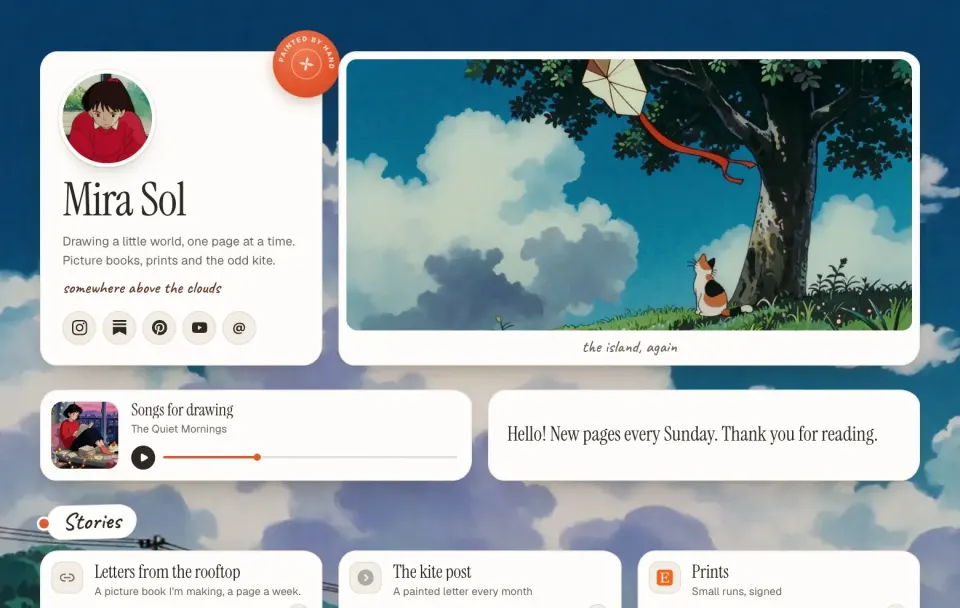
Each look is a small scene. The Desk look turns your links into polaroids, sticky notes and a spinning record. Linktree gives you a clean list.
You can take it with you
A Posy page is one small JSON file. Download it from Settings, import it anywhere, or run the whole app on your own server.
Your AI can do the work
Connect Claude, ChatGPT or Cursor to Posy and say "add my new video and publish". Edits land in your draft first.
It is honest about tracking
Visits are counted without cookies and without storing visitors' IP addresses.
Which should you pick?
Stay with Linktree
You sell through your pageLinktree has commerce and marketing tools Posy does not try to match. Posy is for sharing links, not running a shop.
Pick Posy
You want it to look like youPick a look, change the palette and fonts, and the page stops looking like everyone else's.
Pick Posy
You want to own the pageOpen source, exportable, and your own domain on Pro.
Pick Posy
You would rather ask than clickIf you already work with an AI, it can set the page up for you.
Moving from Linktree takes about ten minutes
Copy your links
Open your Linktree and copy your list of links. You do not need to export anything.
Paste them into Posy
Paste each link in. Posy turns Instagram, YouTube, Spotify, GitHub and the rest into the right kind of tile.
Pick a look
Try Painted, Desk and Lofi for free. Washi, Cobalt and Night come with Pro.
Swap the link in your bio
Your Linktree keeps working until you change your bio, so nothing breaks while you move.
Questions
Is Posy really a free Linktree alternative?
Yes. Unlimited links, three looks and every layout are free. Pro adds your own domain, three more looks, a year of stats and removes the small Posy link.
Can I import my Linktree?
You paste your links in, several at once if you like, and Posy picks the right tile for each. It usually takes a few minutes. Your old page keeps working while you switch.
Does Posy have the business tools Linktree has?
Not all of them. Posy does not take payments or run a store. It is for sharing links beautifully. If you sell from your page, check that Posy covers what you need before moving.
Can I use my own domain with Posy?
Yes, on Pro. Your page lives at your domain instead of posy.page/you.